






















Contributions and savings
View your contribution total, payment history and arrears. Pay online if your cooperative offers it.
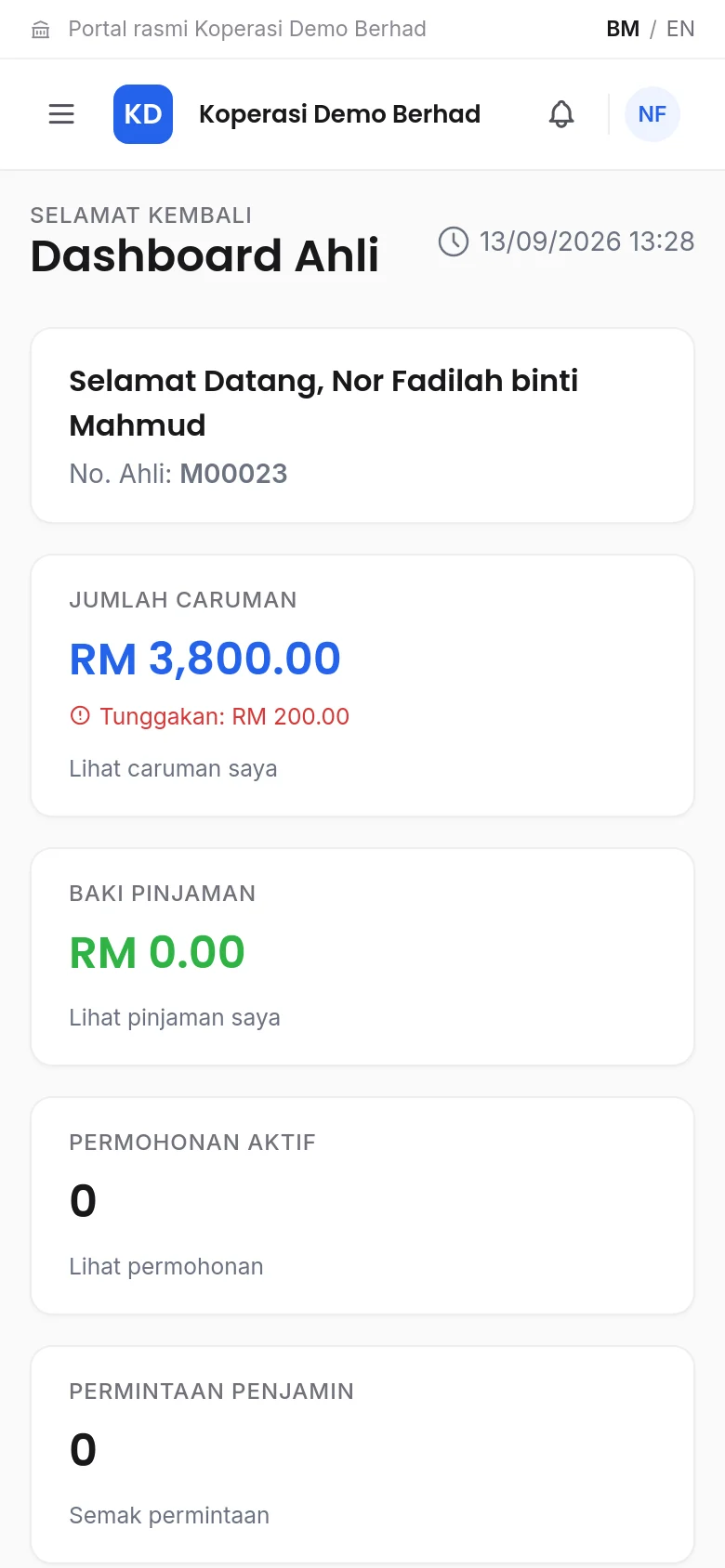
Check your contributions, financing and applications through your own cooperative's member portal.
52 cooperatives. Select your cooperative to go to its login page.
Check the spelling, try an abbreviation such as "JKR", or ask your cooperative office for its portal address.
Show all cooperativesAvailable services depend on your cooperative.
View your contribution total, payment history and arrears. Pay online if your cooperative offers it.
Apply for financing, check your repayment schedule and account statements.
Accept or decline requests to be a guarantor for a fellow member.
Update your address and phone number, apply to increase your share subscription, or submit a withdrawal application without going to the office.
Type the cooperative name and choose it from the list. You will be taken to its login page.
Use your identity card number, member number or email, together with your password.
Your contribution balance, financing and application status are shown on the dashboard.
Open your cooperative's login page and use the registration link if there is one. If not, contact the cooperative office to get an account.
Choose "Forgot password?" on the login page. A link to set a new password will be sent to the email registered with the cooperative.
Your cooperative may not be using eCoop yet, or may use its own portal address. Ask your cooperative office for the correct address.
Only your cooperative. Each cooperative on eCoop has a separate database, so member information is not shared between cooperatives.